
Tools / TrueSouth
TrueSouth: shading and generation from your SketchUp model
Pick the panels in your model and get a shading analysis, an hourly generation estimate with P50 and P90, and a full loss breakdown, as a report you can hand to a client. Version 1.3.
₹4,999one-time, launch price
What it does
- Shading from everything you modelRays are traced from every panel through your geometry: parapets, water tanks, neighbouring blocks, trees and other rows.
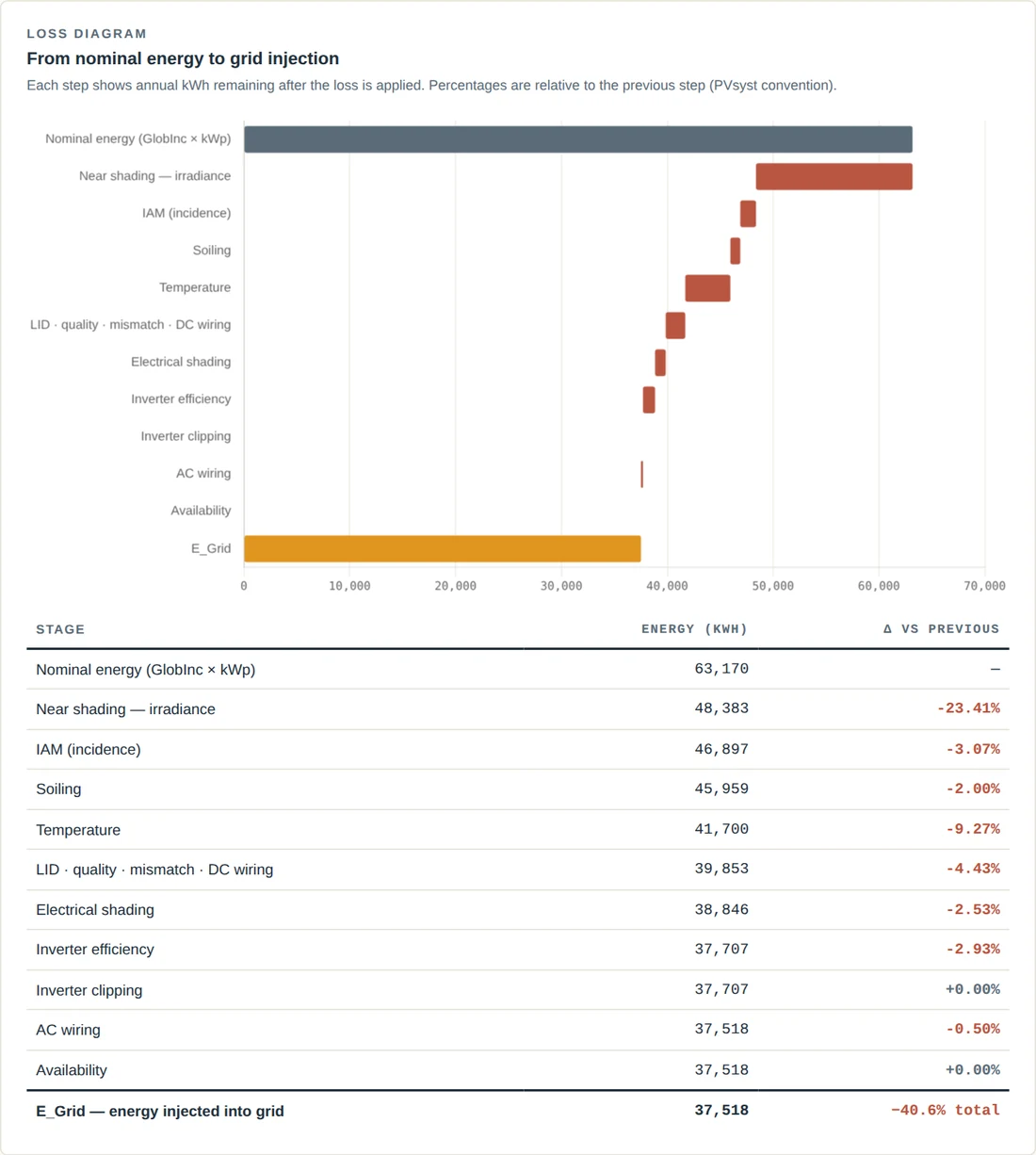
- Hourly generation, with PVsyst-style lossesA full year from PVGIS typical-year weather. Temperature, incidence, soiling by month, LID, mismatch, wiring, the inverter efficiency curve and availability are all yours to set.
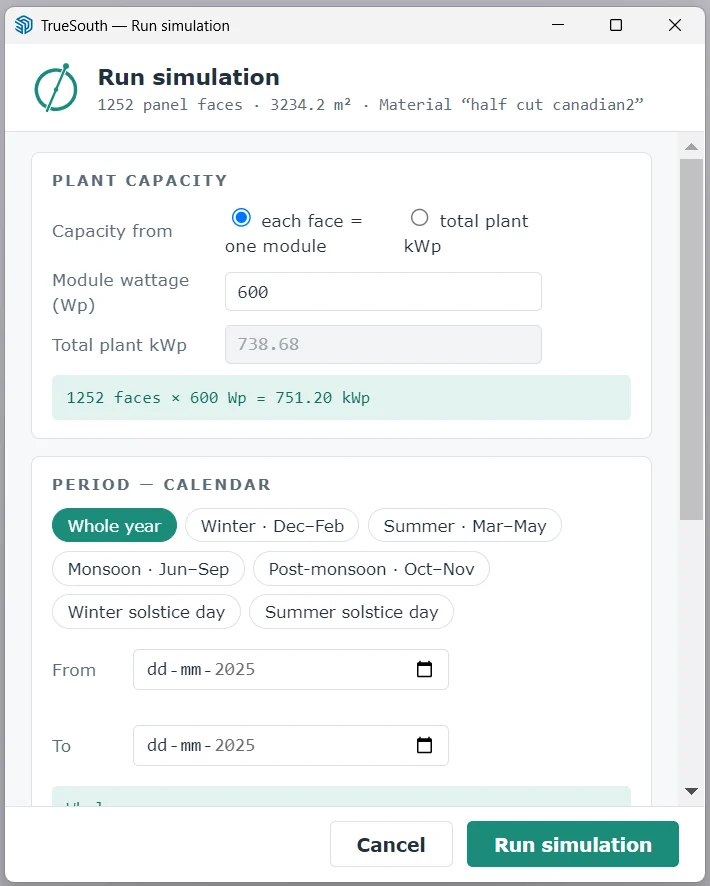
- Any period, any hoursWhole year, a season, either solstice day or your own dates. All hours, daylight, office hours or a window you drag on the dial. The report shows the figures for exactly that period.
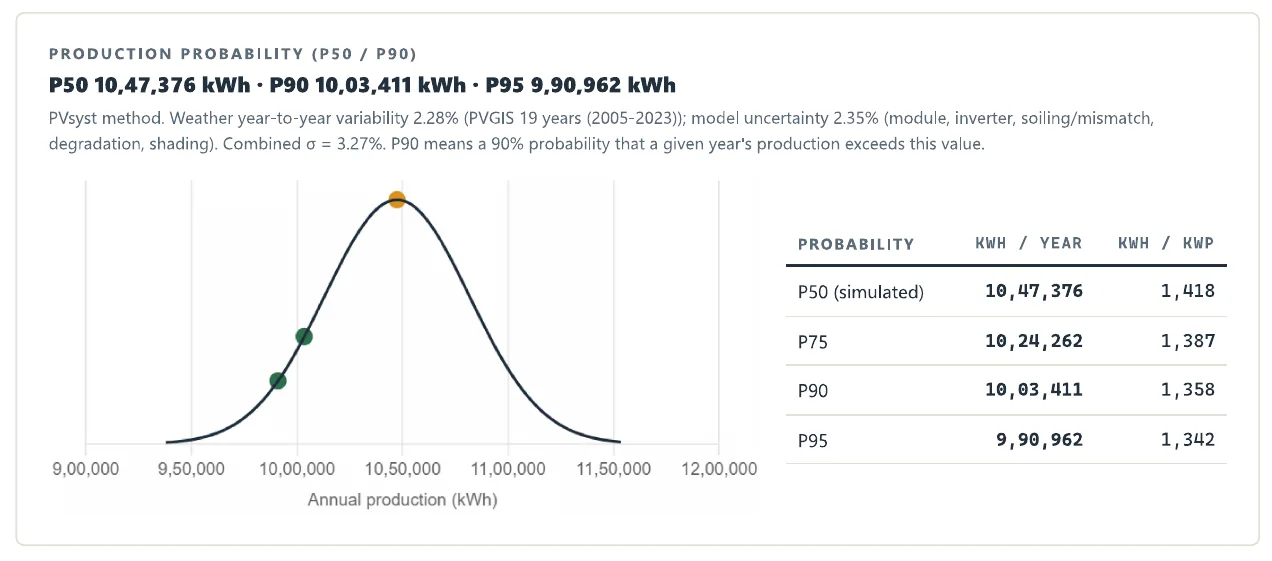
- P50 and P90Production probability from weather variability and model uncertainty, the way lenders ask for it, with P95 alongside.
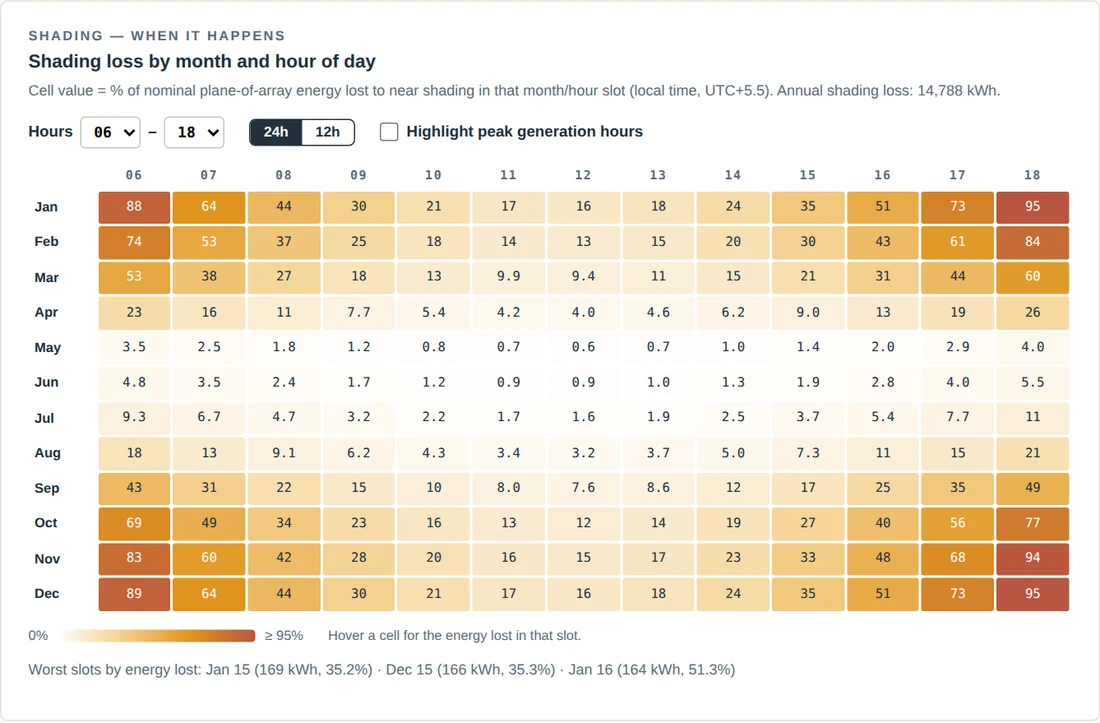
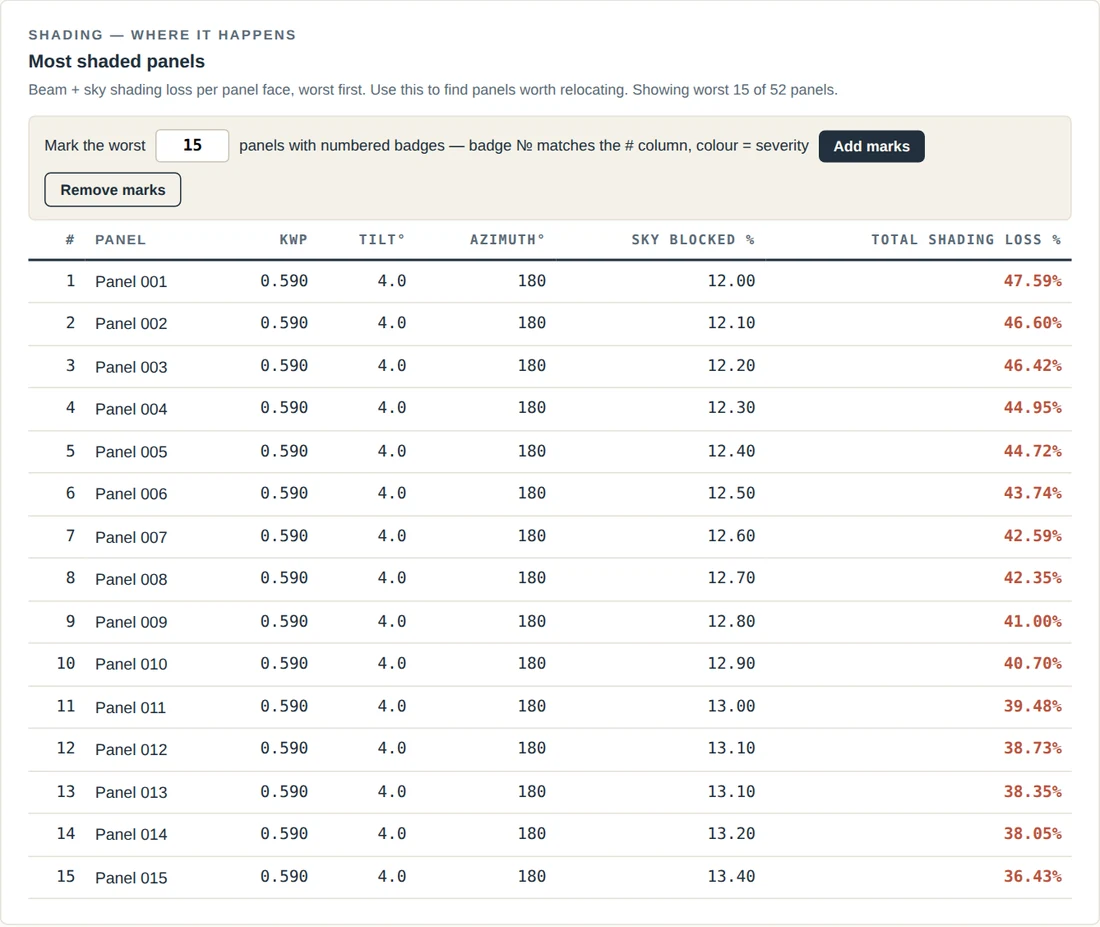
- When and where shading hitsA month-by-hour chart of shading losses, and the most shaded panels ranked and marked on your model.
- Checked against SketchUp’s own shadowsSet any date and time in Window › Shadows and TrueSouth verifies its shading, panel by panel, against what SketchUp draws.
- A report for your clientPrintable, with your company name on every page.
How it works
- InstallAdd the extension in SketchUp’s Extension Manager.
- ActivatePaste the key from your purchase email.
- Pick your panelsChoose the panel material with the dropper, or select the faces.
- Set capacity, period and hoursModule wattage or total kWp; the year, a season or your dates; the hours that matter.
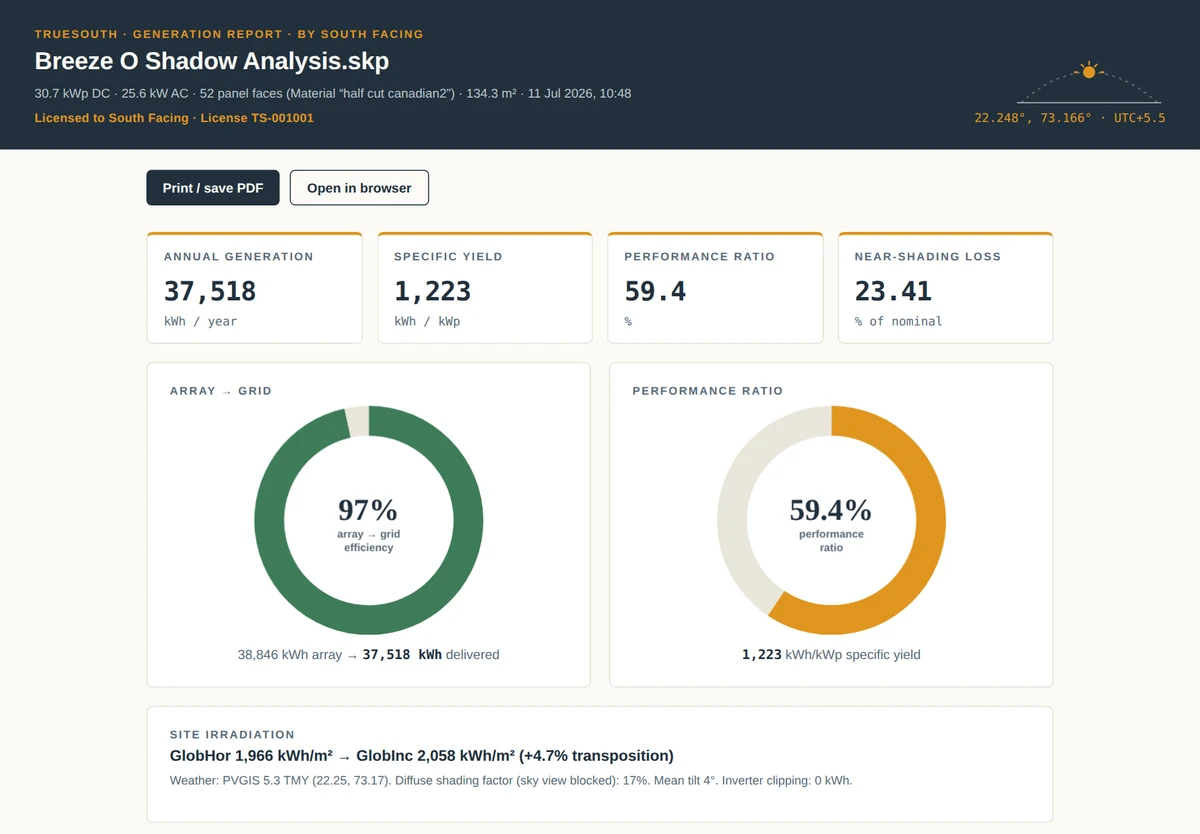
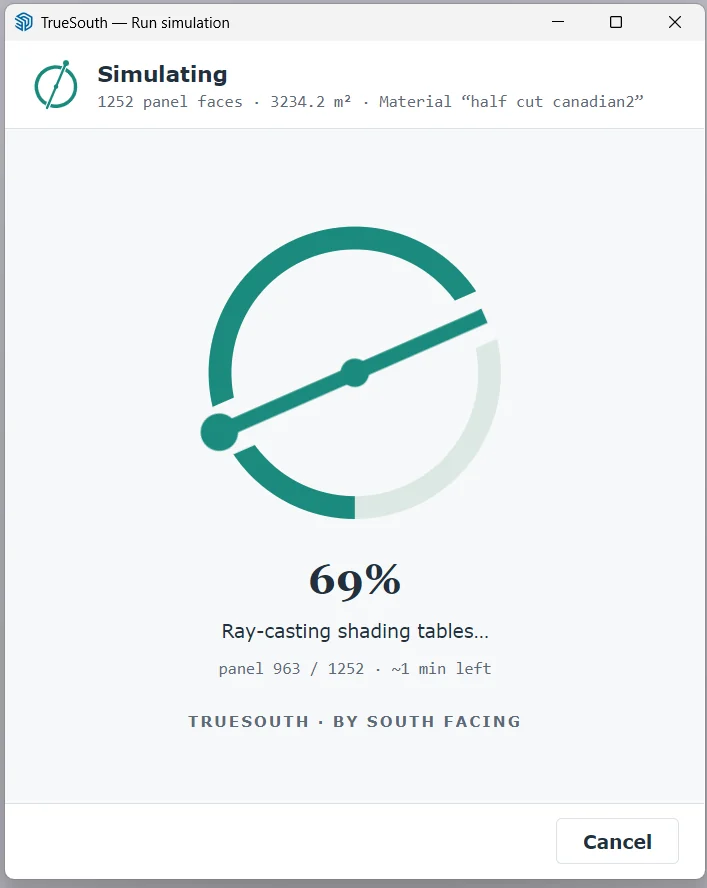
Then watch the compass fill while it runs, and read the report: generation, P50 and P90, shading by month and hour, the most shaded panels and the full loss diagram.
What the report shows
The licence
Pay once
Use TrueSouth 1 for as long as you like, with every 1.x update included.
One computer at a time
Move it to a new computer whenever you need.
7-day refund
Full refund within 7 days if you have not activated your key.
Needs SketchUp 2019 or newer on Windows, and an internet connection for weather data and a periodic licence check. Results are feasibility-grade estimates, not a bankable energy yield assessment.
Questions
Which SketchUp versions does it work with?
SketchUp 2019 or newer, on Windows.
Do I need to model panels in a special way?
No. Draw the panels as faces and paint them with one material, or select them. The user guide shows how.
Where does the weather data come from?
PVGIS typical-year data for your site, downloaded automatically. You can also use NASA POWER or your own file.
Can I use it on two computers?
Each licence works on one computer at a time. You can move it to another computer whenever you need, up to four times a year.
Can I simulate only a season, or only office hours?
Yes. Pick a preset such as monsoon or winter solstice day, or set your own dates, and choose the hours that matter. The report shows the figures for exactly that period.
Does it give P90 figures?
Yes. The report includes P50, P90 and P95 production probability, from weather variability and the model uncertainty you set in Losses & Engine.
Can it replace PVsyst?
No. TrueSouth is for early feasibility: comparing layouts and estimating shading and generation quickly. Bankable reports still need a detailed assessment.
How do refunds work?
Full refund within 7 days of purchase if the key has not been activated. See the refund policy for the details.
Ready to try TrueSouth?
Your key arrives by email within a minute of payment.